Buying Guides
SD Card vs. microSD Card: What's the Difference? A Buying Guide for Business Buyers
Compare SD and microSD cards by size, capacity, speed class and device compatibility, with practical buying tips for wholesalers and distributors.
SD Card vs. microSD Card: What's the Difference? A Buying Guide for Business Buyers
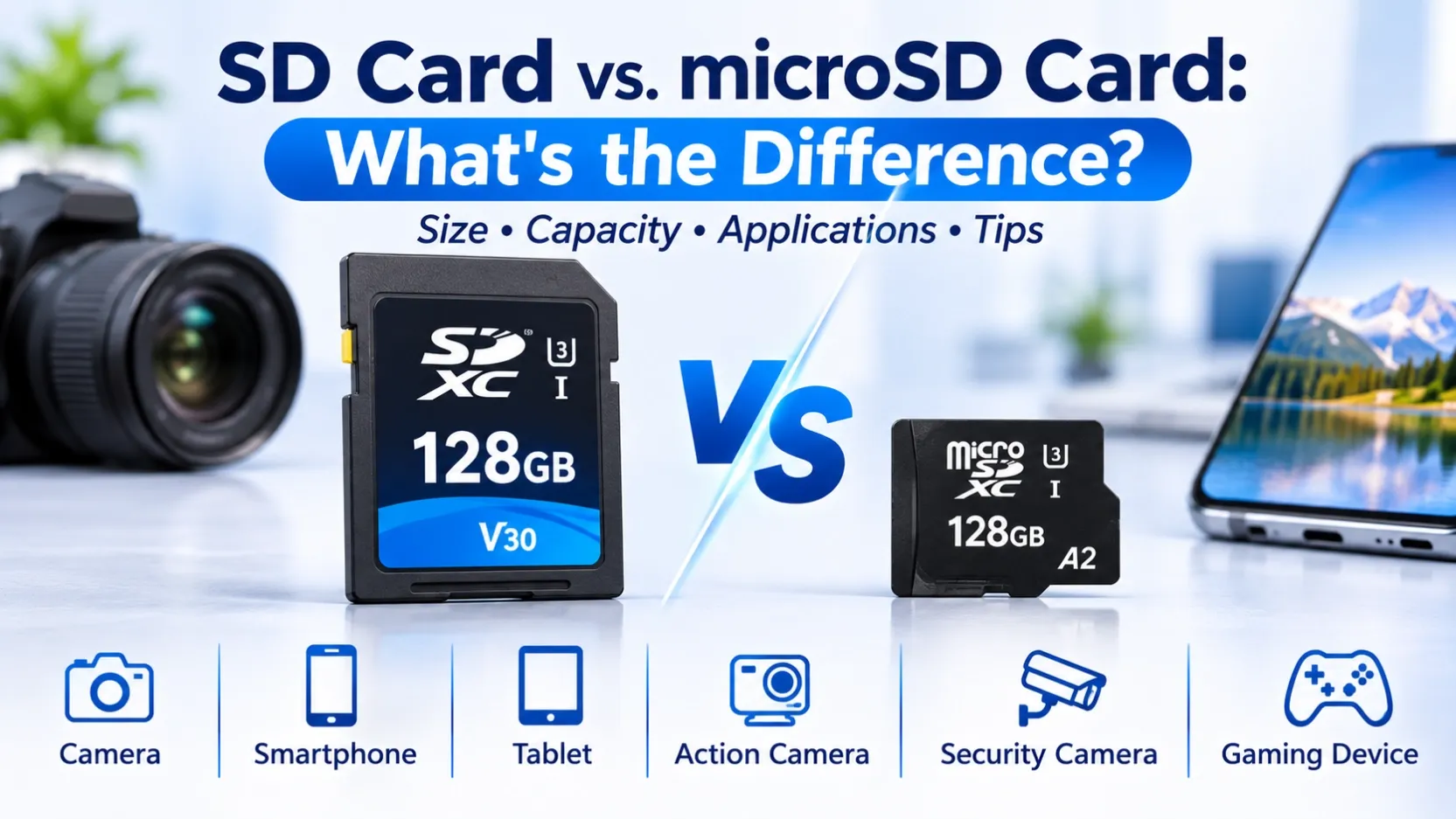
SD and microSD memory cards are widely used removable storage products for digital cameras, smartphones, tablets, action cameras, security cameras and other electronic devices.
Both formats can store photos, videos, documents and other digital files. However, they differ in physical dimensions, common applications and device compatibility.
For distributors, wholesalers, e-commerce sellers and business buyers, understanding these differences is important when selecting memory card products for different customer groups.
This guide explains SD and microSD formats, capacity standards, speed classifications and the key factors to consider before purchasing.
1. What Is an SD Card?
An SD card, also known as a Secure Digital card, is a removable memory card with a standard physical size.
It is commonly used in:
- Digital cameras
- Camcorders
- Professional photography equipment
- Compatible recording devices
- Other electronic equipment with an SD card slot
SD cards are available in different capacities and speed classifications.
The appropriate product depends on the device's supported card format, maximum capacity and recording requirements.
For photography and video applications, buyers should pay particular attention to the card's speed classification and the manufacturer's device recommendations.
2. What Is a microSD Card?
A microSD card is a smaller version of the SD memory card format.
Its compact dimensions make it suitable for devices with limited physical space.
Common applications include:
- Smartphones and tablets
- Action cameras
- Security cameras
- Portable gaming devices
- Compact digital cameras
- Other compatible electronic equipment
The term TF card is also commonly used to refer to the microSD card format.
For business buyers, it is important to confirm the required format and specifications rather than relying only on product naming.
3. SD Card vs. microSD Card: Main Differences
Physical Size
The most obvious difference is physical size.
Standard SD cards are larger, while microSD cards are much smaller and designed for compact devices.
A microSD card can be used in a standard SD card slot with a compatible adapter, provided the host device supports the card's format and capacity.
Device Applications
SD cards are commonly used in digital cameras and camcorders.
microSD cards are widely used in smartphones, tablets, action cameras and other compact electronic devices.
Storage Capacity
Both SD and microSD cards are available in different capacity options.
The supported capacity depends on the card standard and the host device.
Speed Classifications
Both formats offer different speed classifications.
The appropriate speed rating depends on the intended application, especially for continuous video recording and high-resolution photography.
Compatibility
A card may physically fit into a slot but still be incompatible with the device.
Buyers should check the supported card standard, capacity and speed requirements before purchasing.
4. Understanding SD, SDHC and SDXC
Memory cards are divided into different capacity standards.
The main SD capacity categories include:
SD
The original SD standard supports capacities up to 2GB.
SDHC
SDHC stands for Secure Digital High Capacity and supports capacities above 2GB up to 32GB.
SDXC
SDXC stands for Secure Digital Extended Capacity and supports capacities above 32GB up to 2TB.
The host device must support the corresponding standard.
For example, a device that only supports SDHC may not support an SDXC card, even if the physical card size is correct.
Always check the device manufacturer's specifications before selecting a memory card.
5. Understanding Memory Card Speed Classes
Speed classification is an important factor when selecting memory cards for photography, video recording and other data-intensive applications.
Common speed classifications include:
Class 10
Class 10 indicates a minimum sequential write speed of 10MB/s under the applicable speed-class standard.
UHS Speed Class
Common UHS speed classes include:
- U1: Minimum sequential write speed of 10MB/s
- U3: Minimum sequential write speed of 30MB/s
Video Speed Class
Video Speed Class ratings include V10, V30, V60 and V90.
These ratings indicate different minimum sustained write-speed requirements for supported recording applications.
Application Performance Class
Some microSD cards also carry application performance ratings such as A1 and A2.
These classifications relate to application performance requirements, including random read and write operations.
For business buyers, selecting a card with the appropriate speed classification helps match the product to the intended device and application.
The highest speed rating is not necessarily required for every customer.
6. How to Choose the Right Memory Card
Before selecting an SD or microSD card, consider the following factors.
1. Card Format
Confirm whether the device requires a standard SD card or a microSD card.
2. Supported Capacity
Check the maximum supported capacity and SD standard of the host device.
3. Speed Requirements
For photography and video recording, check the recommended speed classification.
4. Intended Application
Different applications have different requirements.
For example:
- Digital photography may require suitable write performance.
- High-resolution video recording may require a higher sustained write speed.
- General file storage may not require the highest performance category.
- Security cameras may require cards suitable for the intended recording workload.
5. Brand and Model
Check the manufacturer, exact model number, capacity and product specifications before purchasing.
These details are particularly important for wholesale orders and repeat purchasing.
7. Memory Card Brands and Product Options
Different manufacturers offer memory cards for different applications and customer requirements.
Business buyers may compare product options from brands such as:
SanDisk
SanDisk offers SD and microSD memory card product ranges for photography, mobile devices and other storage applications.
Samsung
Samsung offers microSD memory card options across different capacity and performance categories.
Kingston
Kingston provides SD and microSD products for consumer and professional storage applications.
When comparing products, buyers should check the exact model, capacity, speed classification and manufacturer specifications.
Product availability and specifications should always be confirmed for the specific model before purchasing.
8. What Should Wholesale Buyers Check Before Ordering?
For distributors, wholesalers and e-commerce sellers, memory card selection also involves evaluating customer demand and product specifications.
Before placing a bulk order, confirm the following:
Check Item | What to Confirm |
|---|---|
Card Format | SD or microSD |
Capacity Standard | SD / SDHC / SDXC |
Storage Capacity | Required GB or TB capacity |
Speed Class | Class 10 / U1 / U3 / V30 and other applicable ratings |
Application | Camera / Smartphone / Security Camera / Other Devices |
Brand | Required manufacturer |
Model Number | Exact product model |
Packaging | Retail packaging or bulk packaging |
Quantity | Required order volume |
Destination | Target country or sales market |
For e-commerce sellers, accurate product descriptions and speed-class information are also important when preparing product listings.
For private-label buyers, branding and packaging requirements should be confirmed before production or order arrangements.
Conclusion
SD and microSD cards serve similar storage purposes but are designed for different physical slots and device applications.
Understanding card format, capacity standards, speed classifications and device compatibility helps buyers select suitable products and avoid unnecessary compatibility problems.
For distributors and wholesalers, building a suitable memory card portfolio means considering different capacities, speed classes, brands and target-market requirements.
Looking for SD and microSD Cards for Wholesale or OEM Supply?
OV CHIP STORAGE supports business enquiries for memory cards, branded storage products and OEM/ODM storage solutions.
Share your required card format, capacity, speed class, model, order quantity and destination country with our team.