Buying Guides
Seagate Exos HDD Buying Guide: How to Choose the Right Enterprise Drive
Learn how to select Seagate Exos enterprise HDDs by capacity, interface, workload, compatibility and storage requirements for business projects.
Seagate Exos HDD Buying Guide: How to Choose the Right Enterprise Drive
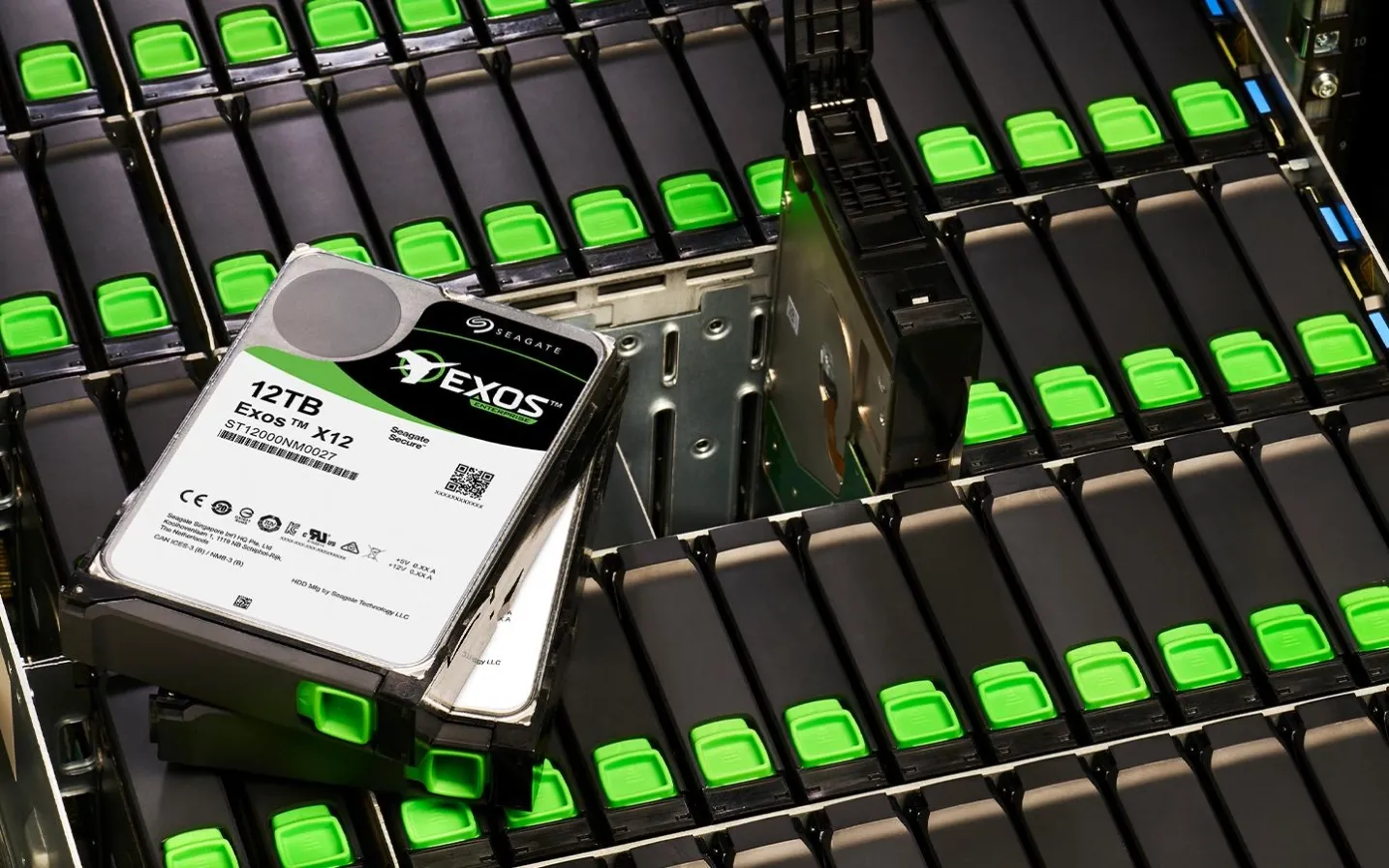
Seagate Exos is an enterprise hard drive product family designed for demanding storage environments, including data centers, enterprise servers, cloud infrastructure and large-scale storage systems.
For IT distributors, system integrators, data center operators and wholesale buyers, selecting an enterprise HDD requires more than comparing storage capacity and price.
The exact model, interface, workload specifications, compatibility and project requirements all need to be considered.
This guide explains the key factors to evaluate when selecting Seagate Exos enterprise HDDs for business storage applications.
1. What Is Seagate Exos?
Seagate Exos is a family of enterprise HDDs designed for business and data center storage environments.
These drives are developed for applications that require substantial storage capacity and continuous operation.
Common application areas include:
- Data center infrastructure
- Cloud storage platforms
- Enterprise servers
- Large-scale backup systems
- Business data storage
- Storage arrays and compatible systems
Different Exos models have different capacities, interfaces and technical specifications. Buyers should always verify the exact model number before purchasing.
2. Understand Enterprise HDD Capacity Options
Storage capacity is one of the first considerations when selecting an enterprise HDD.
Depending on the product generation and model availability, enterprise HDDs may be offered in capacities such as 16TB, 18TB, 20TB, 22TB and 24TB.
16TB and 18TB Enterprise HDDs
These capacity options may suit businesses expanding existing storage infrastructure or maintaining compatibility with established systems.
Potential applications include:
- Enterprise backup
- File storage
- Data center expansion
- General server storage
20TB Enterprise HDDs
20TB drives offer higher storage capacity per unit and may be considered for large-scale storage deployments.
Buyers should compare the total deployment cost and system compatibility when evaluating this capacity.
22TB and 24TB Enterprise HDDs
Higher-capacity drives can help increase storage density in compatible systems.
Potential advantages include:
- More raw capacity per drive
- Fewer drives for a given raw capacity target
- Better utilization of available drive bays
The appropriate capacity depends on the storage platform, workload and project budget.
3. SATA vs. SAS: Check the Interface
Seagate Exos models may use different interfaces, depending on the specific product.
Two common enterprise HDD interfaces are SATA and SAS.
SATA Enterprise HDDs
SATA drives are used in compatible servers and storage systems.
They may be suitable for business environments where the controller and backplane support SATA drives.
SAS Enterprise HDDs
SAS drives are commonly used in enterprise servers and storage platforms equipped with compatible SAS controllers and backplanes.
What Buyers Should Confirm
Before ordering, check:
- Required interface: SATA or SAS
- Server controller compatibility
- Backplane support
- Supported drive capacity
- Physical form factor
- Storage system requirements
SATA and SAS should not be treated as interchangeable. Always verify compatibility with the actual system.
4. Evaluate Workload and Reliability Specifications
Enterprise HDDs are designed for demanding storage environments, but specifications vary by model.
Before selecting a Seagate Exos drive, review the manufacturer's documentation for:
- Workload rating
- Annualized failure rate (AFR)
- Mean time between failures (MTBF), where specified
- Power consumption
- Operating conditions
- Warranty terms
These specifications help buyers assess whether a particular model is appropriate for the intended application.
Do not assume that all Exos models have identical workload or reliability ratings.
5. Verify the Exact Seagate Exos Model Number
Model verification is especially important for enterprise HDD procurement.
Two drives with similar capacities may have different interfaces, recording technologies or product specifications.
Before purchasing, confirm:
- Full model number
- Storage capacity
- SATA or SAS interface
- Product generation
- Recording technology
- Manufacturer specifications
- Warranty conditions
For replacement projects, matching the required model or confirming an approved alternative can help reduce compatibility risks.
6. How to Select an Exos HDD for Different Applications
Different storage environments have different requirements.
Data Centers
Data center buyers should evaluate capacity density, system compatibility, workload specifications and deployment requirements.
Enterprise Backup
Backup environments may prioritize high capacity, predictable compatibility and total storage cost.
Cloud Storage
Cloud infrastructure projects may require large numbers of drives and careful planning of capacity, system configuration and supply requirements.
Enterprise Servers
Server deployments require verification of drive interface, controller support, physical dimensions and operating specifications.
The right Exos model depends on the actual storage architecture rather than capacity alone.
7. What Should Wholesale and Project Buyers Check Before Ordering?
For distributors, wholesalers and system integrators, accurate product verification is essential.
Before confirming an order, review the following:
Check Item | Information to Confirm |
|---|---|
Brand | Seagate |
Product Family | Exos |
Model Number | Exact model |
Capacity | Required TB capacity |
Interface | SATA or SAS |
Form Factor | Supported physical dimensions |
Workload | Intended storage application |
Compatibility | Server and storage-system support |
Quantity | Required order volume |
Destination | Target country |
Warranty | Applicable warranty conditions |
For large projects and repeat orders, buyers should also confirm model consistency and the availability of required quantities before finalizing procurement.
8. Why Model and Supply Verification Matter
Enterprise HDD purchasing often involves specific technical requirements and fixed deployment schedules.
A sourcing process should include:
- Exact model verification
- Manufacturer specification checks
- Quantity confirmation
- Product and batch information, where applicable
- Warranty condition confirmation
- Delivery arrangement coordination
If an alternative model is proposed, compare the full specifications before accepting the substitution.
This helps reduce specification misunderstandings and procurement risks.
Conclusion
Seagate Exos enterprise HDDs provide storage options for data centers, enterprise servers, cloud infrastructure and large-capacity storage environments.
Choosing the right drive requires evaluating capacity, interface, workload specifications, system compatibility and exact model information.
For distributors, system integrators and project buyers, accurate product verification is just as important as selecting the storage capacity.
Looking for Seagate Exos HDDs for Wholesale or Project Supply?
OV CHIP STORAGE supports business enquiries for Seagate enterprise HDDs and other branded storage products.
Share your required model number, capacity, interface, quantity and destination country with our team.