Storage Insights
How to Choose a Portable SSD for Work and Data Storage
Learn how to choose a portable SSD by capacity, interface, transfer speed, compatibility and data backup needs for business and everyday use.
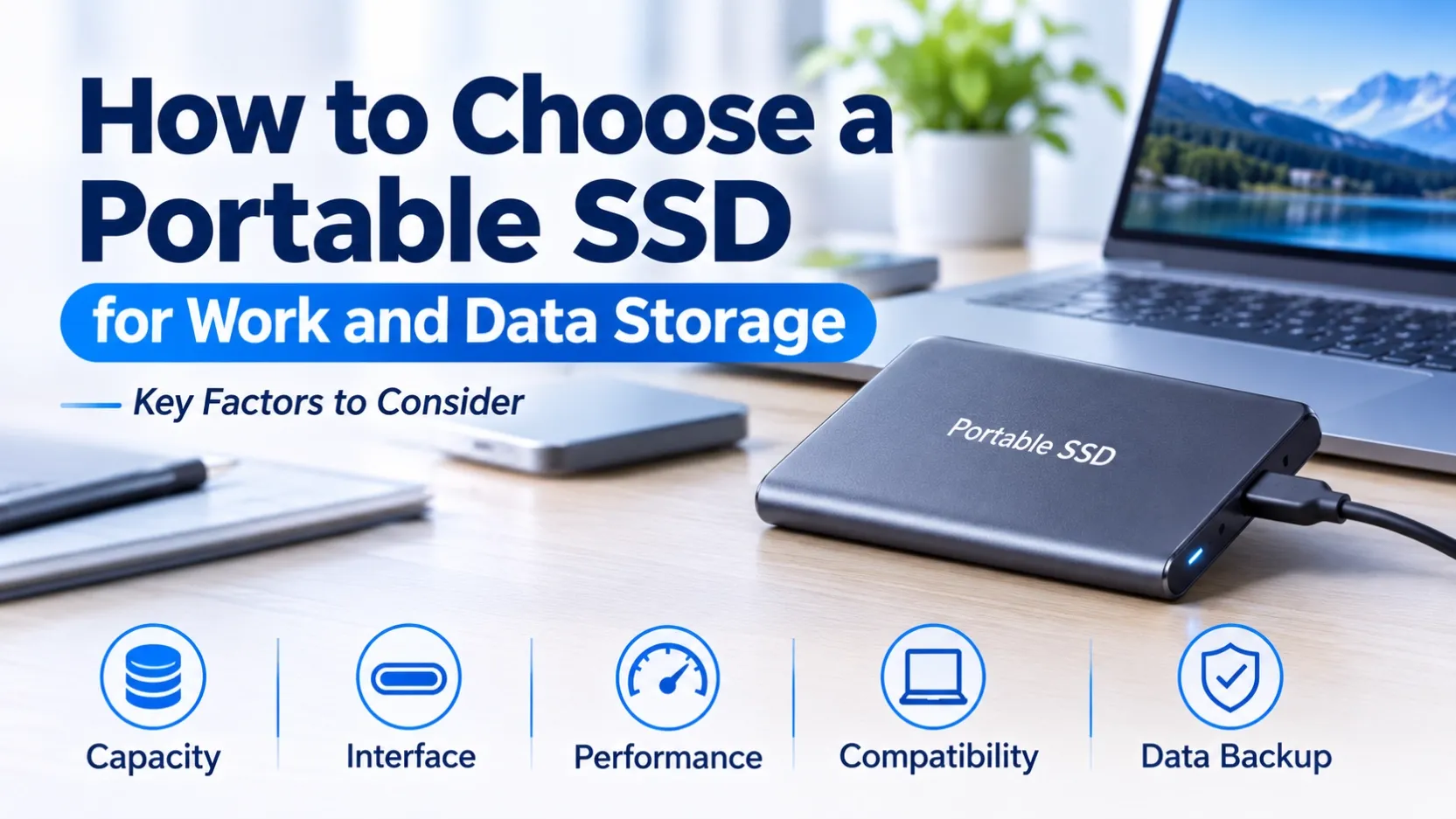
How to Choose a Portable SSD for Work and Data Storage
Portable Solid State Drives (SSDs) provide convenient external storage for users who need to carry, transfer and back up digital files across compatible devices.
They are widely used for business documents, photography, video production, large file transfers and additional storage for laptops and desktop computers.
For distributors, wholesalers, e-commerce sellers and business buyers, portable SSDs are also an important product category to consider when developing an external storage portfolio.
Choosing the right portable SSD requires more than comparing advertised transfer speeds. Capacity, interface, compatibility, physical design and intended workload should all be evaluated.
This guide explains the key factors to consider when selecting portable SSDs for personal use and business purchasing.
1. Choose the Right Storage Capacity
Storage capacity is one of the first factors to consider when selecting a portable SSD.
Different users have different storage requirements:
- Business users: Documents, presentations, project files and business backups.
- Photographers: High-resolution images and photo libraries.
- Video professionals: Large video files and editing projects.
- General users: Personal files, applications and everyday data storage.
Common portable SSD capacity options include 500GB, 1TB, 2TB and higher-capacity models, depending on the product range.
For business buyers, selecting several capacity options can help address different customer requirements and price segments.
It is also important to consider future storage growth rather than purchasing based only on current data requirements.
2. Check the Connection Interface
Portable SSDs use external interfaces to connect to computers and other compatible devices.
Common connection options include:
- USB Type-C
- USB Type-A
- USB 3.x interfaces
Some products may include different cables or connectors to support multiple devices.
Before purchasing, check the available ports on the host device and confirm that the portable SSD supports the required connection standard.
Remember that the connector shape alone does not determine transfer speed. Actual performance depends on the SSD specifications, USB interface, cable and connected device.
For wholesalers and distributors, clearly identifying the interface and connector type helps reduce compatibility-related customer enquiries.
3. Compare Read and Write Performance
Transfer performance is another important factor when selecting a portable SSD.
Read Speed
Read speed affects how quickly files can be accessed or copied from the drive to another device.
Write Speed
Write speed affects how quickly files can be saved to the portable SSD.
Actual performance varies according to:
- SSD controller and NAND flash
- Supported USB interface
- File size and workload
- Host computer performance
- Cable and connection quality
- Drive capacity and available free space
For users who frequently transfer large files or work with video projects, both read and write specifications should be considered.
For B2B purchasing, buyers should compare the manufacturer's specifications for the exact model rather than relying only on general product-category descriptions.
4. Consider Portability and Physical Design
One of the main advantages of portable SSDs is their compact design.
Compared with traditional external HDDs, portable SSDs have no moving mechanical parts and are generally suitable for users who frequently carry storage devices between locations.
However, physical designs differ between models.
Consider the following factors:
- Overall dimensions and weight
- Housing materials
- Connector protection
- Cable design
- Manufacturer-specified durability features
Some models may offer additional protection against drops, dust or water, but these features should never be assumed without checking the product specifications.
For distributors, physical design and product positioning can help differentiate portable SSD options for different customer groups.
5. Confirm Device and Operating System Compatibility
Before purchasing a portable SSD, confirm that it works with the intended devices.
Important compatibility factors include:
Operating System
Check the manufacturer's supported operating systems and any formatting requirements.
Connection Ports
Confirm whether the device supports USB Type-C, USB Type-A or the required connection standard.
File System
Different operating systems and devices may support different file systems. Some drives may need to be reformatted before use.
Device Requirements
Smartphones, tablets, laptops and desktop computers may have different external storage support and power requirements.
For business buyers, compatibility information should be checked before selecting products for resale or project applications.
6. Plan for Data Backup and Protection
Portable SSDs are convenient for carrying and transferring important files, but they should not be treated as the only copy of critical business data.
For important documents, business projects and professional media files, maintaining additional backups is recommended.
A practical backup strategy may include:
- Keeping a working copy on the main computer
- Maintaining a separate backup on another storage device
- Using cloud or network storage where appropriate
- Checking backup integrity and periodically testing file restoration
For business users, data protection is part of an overall storage management strategy, not simply a product specification.
7. Compare Portable SSD Brands and Product Options
Different manufacturers offer portable SSD products with different designs, capacities and performance levels.
Business buyers may compare product options from brands such as:
- Samsung: Portable SSD product ranges for everyday storage and professional use.
- Kingston: External and portable storage options for different user requirements.
- Crucial: Portable SSD solutions across different capacity and performance categories.
- SanDisk: Portable SSD products for personal, business and professional storage applications.
When comparing brands, check the exact model number, capacity, interface, performance specifications and manufacturer documentation.
Product availability and specifications should always be confirmed for the specific model before purchasing.
8. What Should Wholesale Buyers Check Before Ordering?
For distributors, wholesalers and e-commerce sellers, choosing a portable SSD also involves evaluating the product's suitability for the target market.
Before placing a bulk order, confirm the following:
Check Item | What to Confirm |
|---|---|
Brand | Required manufacturer or own-brand option |
Model | Exact product model |
Capacity | Required storage capacity |
Interface | Supported USB connection standard |
Connector | USB-C, USB-A or other connector options |
Performance | Manufacturer-rated read and write speeds |
Compatibility | Supported devices and operating systems |
Packaging | Standard retail or customized packaging |
Quantity | Required order volume |
Destination | Target country or sales market |
For private-label buyers, additional requirements may include customized logos, packaging and product documentation.
Providing these details in advance helps suppliers understand the order requirements and recommend suitable product options.
Conclusion
Choosing the right portable SSD involves balancing storage capacity, connection interface, transfer performance, physical design, compatibility and data protection requirements.
For individual users, the best choice depends on how the drive will be used. For distributors and wholesalers, product specifications, brand positioning, target-market demand and order requirements are equally important.
A clear understanding of these factors helps businesses select suitable portable SSD products and build a more competitive external storage portfolio.
Looking for Portable SSDs for Wholesale or OEM Supply?
OV CHIP STORAGE supports business enquiries for branded storage products and OEM/ODM storage solutions.
Whether you are sourcing portable SSDs for distribution, e-commerce sales or private-label projects, share your requirements with our team.