Storage Insights
Storage Product Compatibility: What to Check Before Buying HDDs, SSDs and Flash Storage
Learn how to check HDD, SSD, memory card and USB compatibility before purchasing, including interfaces, formats, capacity and device requirements.
Storage Product Compatibility: What to Check Before Buying HDDs, SSDs and Flash Storage
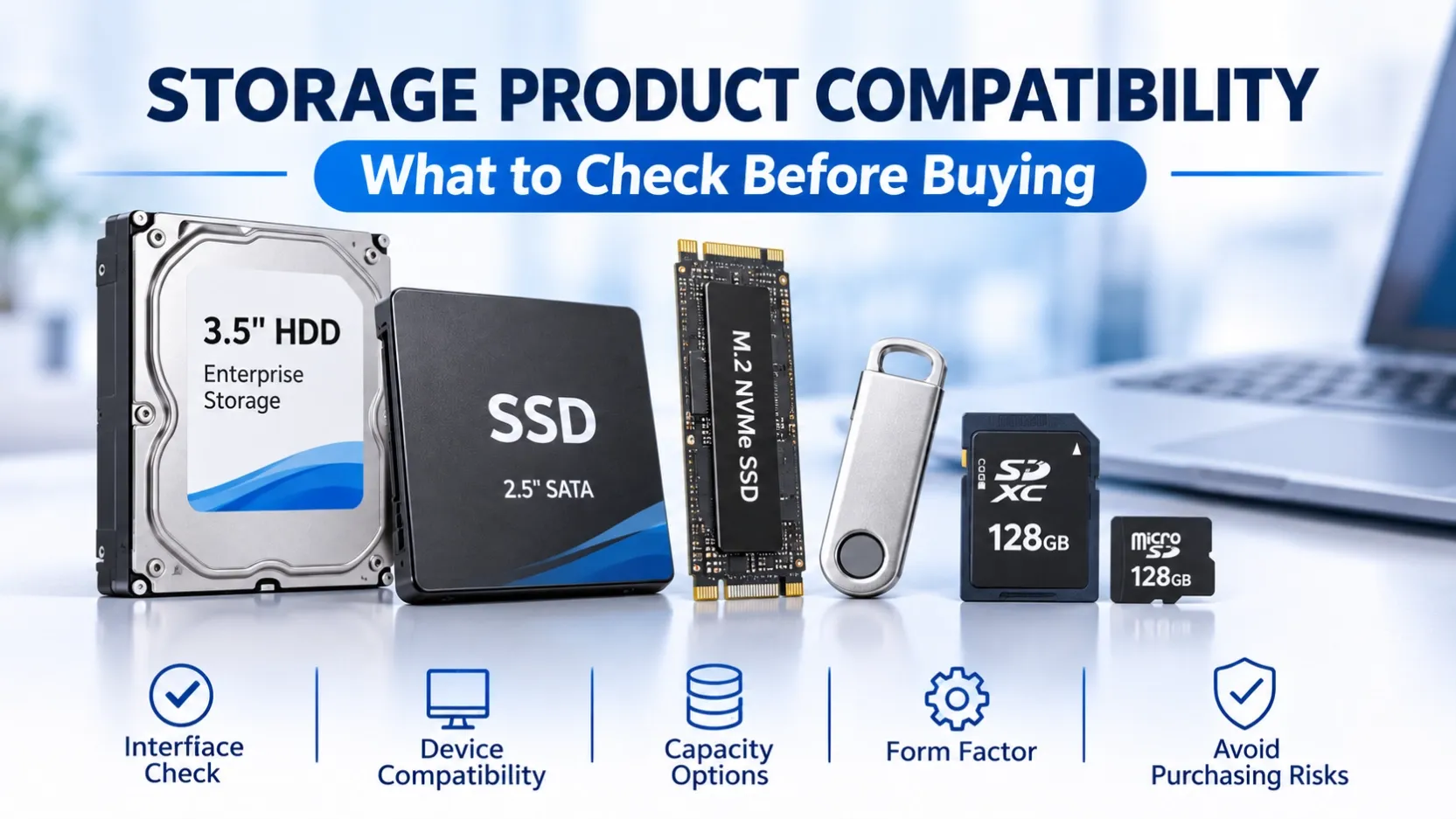
Choosing the right storage product involves more than selecting a brand or capacity. A drive or memory card must also be compatible with the device, operating system and intended application.
For distributors, wholesalers, e-commerce sellers and IT hardware buyers, compatibility is an important factor in product selection. Incorrect specifications can lead to installation problems, customer complaints, returns and unnecessary after-sales costs.
This guide explains the key compatibility factors to check when purchasing HDDs, SSDs, memory cards and USB flash drives.
1. HDD Compatibility: Interface, Form Factor and Application
Hard Disk Drives (HDDs) are available in different form factors and interface types.
Before purchasing an HDD, check the following:
Form Factor
Common internal HDD form factors include:
- 3.5-inch HDDs, commonly used in desktop computers, servers and storage systems
- 2.5-inch HDDs, commonly used in laptops and selected compact systems
The device must have a compatible physical bay and mounting arrangement.
Interface
Common HDD interfaces include:
- SATA: widely used in desktop computers, NAS devices and surveillance systems
- SAS: commonly used in enterprise servers and storage environments
SATA and SAS drives are not interchangeable in every system. Confirm the controller and backplane compatibility before purchasing.
Intended Application
Different HDD product families are designed for different workloads.
For example:
- Desktop HDDs for general personal computer storage
- NAS HDDs for network-attached storage environments
- Surveillance HDDs for continuous video recording systems
- Enterprise HDDs for server and data center applications
Buyers should match the drive category to the intended workload rather than choosing based on capacity alone.
2. SSD Compatibility: Interface, Protocol and Physical Size
SSD compatibility requires attention to both the interface and physical form factor.
2.5-inch SATA SSD
A 2.5-inch SATA SSD requires a compatible SATA connection and physical mounting space.
These drives are commonly used for laptop and desktop upgrades.
M.2 SSD
M.2 SSDs are compact storage devices, but not all M.2 drives use the same interface.
Common types include:
- M.2 SATA SSD
- M.2 NVMe SSD
Before ordering, confirm whether the motherboard or device supports SATA, PCIe NVMe, or both.
PCIe Generation
For NVMe SSDs, check the supported PCIe generation of the host system.
A newer PCIe SSD may operate at a lower supported speed when used in a system with an older compatible PCIe interface.
Physical Dimensions
M.2 SSDs are available in different lengths, including 2230, 2242, 2260 and 2280.
Confirm the supported dimensions and mounting positions before purchasing.
3. Memory Card Compatibility: SD, microSD and TF
Memory cards are widely used in cameras, smartphones, tablets, surveillance devices and portable electronics.
However, different devices support different card formats and capacities.
SD and microSD Formats
Common physical formats include:
- SD
- microSD
A microSD card may be used in an SD card slot with a suitable adapter, provided the device supports the card's capacity and specifications.
Capacity Compatibility
Memory cards are commonly available in different capacity ranges.
Buyers should check the device's maximum supported capacity before selecting a card.
Speed Class
Different memory cards have different speed classifications.
Depending on the application, buyers may need to consider:
- Class 10
- U1 and U3
- V30, V60 and V90
- A1 and A2
These classifications indicate different performance requirements and should be matched to the device and workload.
For example, continuous video recording may require a card with an appropriate video speed class.
4. USB Flash Drive Compatibility: Connector and USB Standard
USB flash drives are available with different connectors and interface standards.
Connector Types
Common connector options include:
- USB-A
- USB-C
- Micro USB
- Multi-connector designs
Some 4-in-1 USB flash drives combine several connectors to support different devices.
Buyers should confirm which connectors are required by their target customers.
USB Interface Standards
Common USB flash drive options include:
- USB 2.0
- USB 3.0
The actual transfer speed depends on the flash drive controller, NAND flash, USB standard and connected device.
A USB 3.0 drive connected to a USB 2.0 port will operate according to the supported connection capabilities.
Device Compatibility
Before purchasing, confirm whether the target devices support the required connector and USB standard.
This is particularly important for sellers preparing product listings for different markets and customer groups.
5. Brand and Model Verification
Brand names alone are not enough to confirm compatibility.
Different product series from the same manufacturer may have different specifications and intended applications.
When purchasing branded storage products, check:
- Manufacturer and product series
- Exact model number
- Capacity
- Interface and form factor
- Supported performance specifications
- Intended application
Common storage brands include Seagate, Samsung, Western Digital, Toshiba, Kingston, Crucial and SanDisk.
For business buyers, verifying the exact model is especially important when replacing existing drives or fulfilling customer orders.
6. A Practical Compatibility Checklist for Wholesale Buyers
Before confirming a bulk storage order, review the following information:
Check Item | Information to Confirm |
|---|---|
Product Category | HDD, SSD, Memory Card or USB Flash Drive |
Brand | Required manufacturer |
Model Number | Exact product model |
Capacity | Required storage capacity |
Interface | SATA, SAS, NVMe, USB or other supported interface |
Form Factor | 2.5-inch, 3.5-inch, M.2, SD or microSD |
Application | Desktop, NAS, surveillance, server or portable device |
Quantity | Required order volume |
Destination Market | Country and intended customer market |
Providing these details before purchasing helps suppliers identify suitable product options and reduces specification misunderstandings.
7. Why Compatibility Matters for Distributors and E-commerce Sellers
For distributors and wholesalers, compatibility directly affects product selection and customer satisfaction.
For e-commerce sellers, inaccurate product specifications can result in incorrect purchases, negative reviews and higher return rates.
A clear product information process helps businesses:
- Select suitable products for their target customers
- Prepare more accurate product listings
- Reduce compatibility-related enquiries
- Minimize incorrect orders and returns
- Build a more reliable storage product portfolio
For OEM and private-label buyers, product specifications should also be confirmed before finalizing branding, packaging and product documentation.
Conclusion
Storage product compatibility depends on several factors, including interface, form factor, capacity, device support and intended application.
Whether you are purchasing HDDs, SSDs, memory cards or USB flash drives, checking the exact specifications before ordering is an important step in reducing sourcing and after-sales risks.
Looking for Storage Products for Wholesale or OEM Supply?
OV CHIP STORAGE supports business enquiries for branded storage products and OEM/ODM storage solutions.
Share your required product category, specifications, quantity and destination market with our team.