Storage Insights
SSD Types Explained: SATA SSD vs. M.2 NVMe SSD – A B2B Buying Guide
Compare SATA and M.2 NVMe SSDs, including interfaces, performance, compatibility and key buying considerations for wholesalers and business buyers.
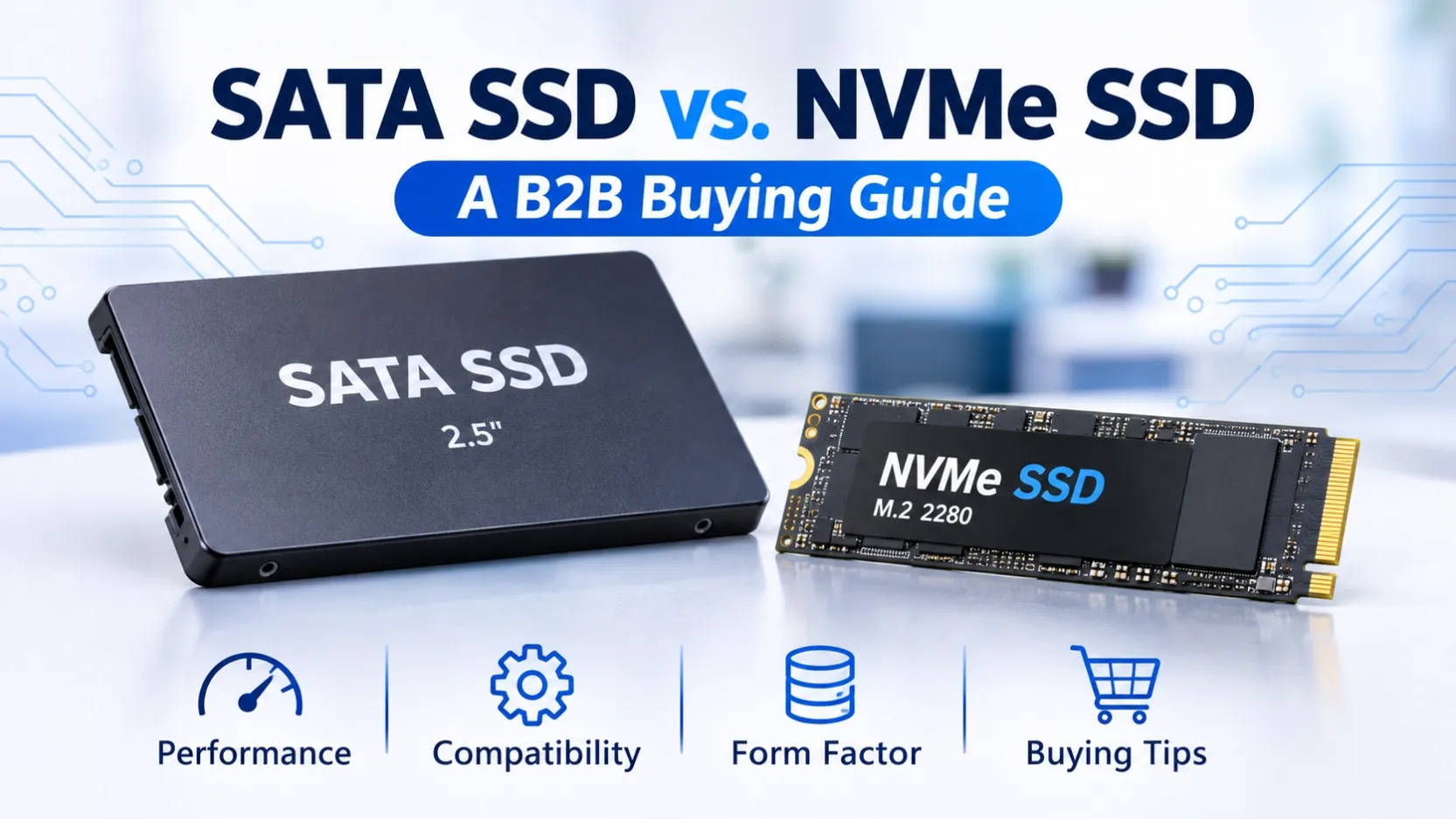
SSD Types Explained: SATA SSD vs. M.2 NVMe SSD – A B2B Buying Guide
Solid State Drives (SSDs) have become an essential storage solution for laptops, desktop computers, workstations and business systems.
However, not all SSDs offer the same interface, physical design or performance. For distributors, wholesalers, system integrators and business buyers, understanding the differences between SATA SSDs and M.2 NVMe SSDs is important when selecting products for different markets and applications.
This guide explains the key differences and highlights what buyers should confirm before placing an order.
1. What Is a SATA SSD?
A 2.5-inch SATA SSD is an internal storage drive designed for computers with a compatible 2.5-inch SATA bay and connection.
SATA SSDs are commonly used for:
- Upgrading older laptops and desktop computers
- Office computers and business systems
- General operating system and application storage
- Replacing traditional mechanical hard drives
SATA III supports a link rate of up to 6Gb/s. Actual data transfer speeds depend on the SSD model and host system.
For buyers serving customers who need practical storage upgrades, SATA SSDs remain an important product category.
2. What Is an M.2 NVMe SSD?
An M.2 NVMe SSD uses the M.2 physical form factor and the NVMe protocol over a supported PCIe interface.
Compared with SATA SSDs, NVMe SSDs can provide substantially higher data transfer performance, depending on the model and PCIe generation.
Common applications include:
- Modern laptops and desktop computers
- Workstations
- Performance-oriented computing systems
- Systems requiring faster storage access
One important point: M.2 describes the physical form factor, not necessarily the interface. M.2 SATA SSDs also exist, so buyers should confirm whether a product uses SATA or NVMe before purchasing.
3. SATA SSD vs. M.2 NVMe SSD: Key Differences
Interface
SATA SSDs use the SATA interface, while NVMe SSDs use the NVMe protocol over PCIe.
Performance
NVMe SSDs generally support higher transfer rates. Actual performance varies according to the SSD model, PCIe generation and workload.
Physical Design
A 2.5-inch SATA SSD uses a larger enclosed drive design. M.2 SSDs are compact circuit boards available in different lengths, such as M.2 2280.
Compatibility
The host computer must support the correct interface and physical dimensions. An M.2 slot does not automatically support every M.2 SSD.
Applications
SATA SSDs are practical for compatible system upgrades. NVMe SSDs are commonly selected for newer systems and performance-sensitive applications.
4. What Should Wholesale Buyers Check Before Purchasing?
When sourcing SSDs in bulk, checking only the capacity is not enough.
Consider these factors:
1. Interface Compatibility
Confirm SATA or NVMe requirements and the supported PCIe generation.
2. Form Factor
Check whether the system requires a 2.5-inch drive or an M.2 SSD. For M.2 products, confirm the required length.
3. Storage Capacity
Common capacity options include 256GB, 512GB, 1TB and 2TB. Select the appropriate range according to your target market.
4. Brand and Product Series
Different brands and product series target different applications and price segments. Buyers may compare available Samsung, Kingston and Crucial SSD options according to their requirements.
5. Model and Specification Verification
Confirm the exact model number, interface, capacity and product specifications before ordering.
6. Order Quantity and Supply Requirements
For wholesale purchasing, discuss the required quantity, target price, destination market and delivery arrangements in advance.
5. Branded SSD Options for Different Business Needs
Different customer groups may require different SSD product portfolios.
- Samsung SSD: Options across SATA and NVMe product categories.
- Kingston SSD: Consumer and business-oriented SSD product options.
- Crucial SSD: SATA and NVMe SSD product categories.
The appropriate product depends on the required model, capacity, compatibility and target market.
Product availability and specifications should always be confirmed against the specific model before purchasing.
6. How to Choose the Right SSD for Your Market
For distributors and wholesalers, a balanced SSD portfolio can help serve different customer requirements.
Consider maintaining product options across:
- 2.5-inch SATA SSDs for compatible system upgrades
- M.2 NVMe SSDs for modern computers
- Different storage capacities for different price segments
- Branded products for customers who require specific manufacturers
For e-commerce sellers, product specifications and compatibility information are also important when preparing product listings and handling customer enquiries.
Conclusion
SATA SSDs and M.2 NVMe SSDs serve different compatibility and performance requirements. The right choice depends on the host system, interface, capacity, application and target market.
For B2B buyers, confirming exact model numbers and specifications before purchasing helps reduce compatibility issues and sourcing risks.
Looking for SSDs for Wholesale or Distribution?
OV CHIP STORAGE supports business enquiries for branded storage products and OEM/ODM storage solutions.
Send us your required SSD models, capacities, quantities and destination country.