Buying Guides
How to Choose a USB Flash Drive: USB-A vs. USB-C
Learn how to choose USB flash drives by connector, capacity, interface speed and compatibility, with buying tips for wholesalers and OEM customers.
How to Choose a USB Flash Drive: USB-A vs. USB-C and USB 3.0
USB flash drives remain a practical storage solution for transferring, carrying and sharing digital files. They are widely used for business documents, presentations, photos, videos, software files and everyday data storage.
For distributors, wholesalers, e-commerce sellers and private-label brands, selecting the right USB flash drive involves more than choosing a connector or storage capacity.
Connector type, USB interface, transfer performance, device compatibility and product customization options should all be considered.
This guide explains the key differences between USB-A and USB-C flash drives and what business buyers should check before purchasing.
1. USB-A Flash Drives
USB-A flash drives use the familiar rectangular USB Type-A connector.
They are suitable for compatible desktop computers, laptops and other equipment with USB-A ports.
USB-A drives remain a practical option for:
- Office computers
- Desktop systems
- Business document transfers
- Educational and institutional use
- General file storage and sharing
For distributors and wholesalers, USB-A flash drives continue to serve customers using computers and equipment with traditional USB connections.
2. USB-C Flash Drives
USB-C flash drives use a smaller, reversible USB Type-C connector.
They are designed for compatible modern laptops, tablets, smartphones and other devices that support external USB storage.
Common applications include:
- Transferring files between compatible devices
- Moving photos and videos
- Expanding storage for supported devices
- Business and mobile workflows
However, USB-C describes the connector type rather than a guaranteed transfer speed.
Actual performance depends on the USB interface supported by the drive, the host device and the connection.
Before purchasing, confirm both connector compatibility and supported USB specifications.
3. USB 2.0 vs. USB 3.0 Flash Drives
USB flash drives are available with different interface standards.
USB 2.0 Flash Drives
USB 2.0 is a practical option for everyday file storage and document transfers.
Typical applications include:
- Office documents
- Presentations
- Small files
- General-purpose storage
For buyers targeting entry-level storage markets, USB 2.0 products may be suitable depending on price and customer requirements.
USB 3.0 Flash Drives
USB 3.0 supports higher theoretical data transfer rates than USB 2.0.
It is commonly considered for users who frequently transfer larger files, including photos, videos and business data.
Actual read and write speeds depend on the flash drive controller, NAND flash, host interface and file workload.
When comparing products, review the specific model's performance specifications rather than relying only on the USB version.
4. Choose the Right Storage Capacity
Storage capacity should match the intended application and target customer.
Common capacity options include:
- 8GB
- 16GB
- 32GB
- 64GB
- 128GB
- 256GB
The appropriate capacity depends on the type and quantity of files being stored.
For wholesale buyers, offering several capacity options can help address different customer requirements and price segments.
E-commerce sellers should also ensure that the advertised capacity matches the actual product specifications.
5. Understand Different USB Flash Drive Designs
Besides connector type and interface, USB flash drives are available in different physical designs.
Common options include:
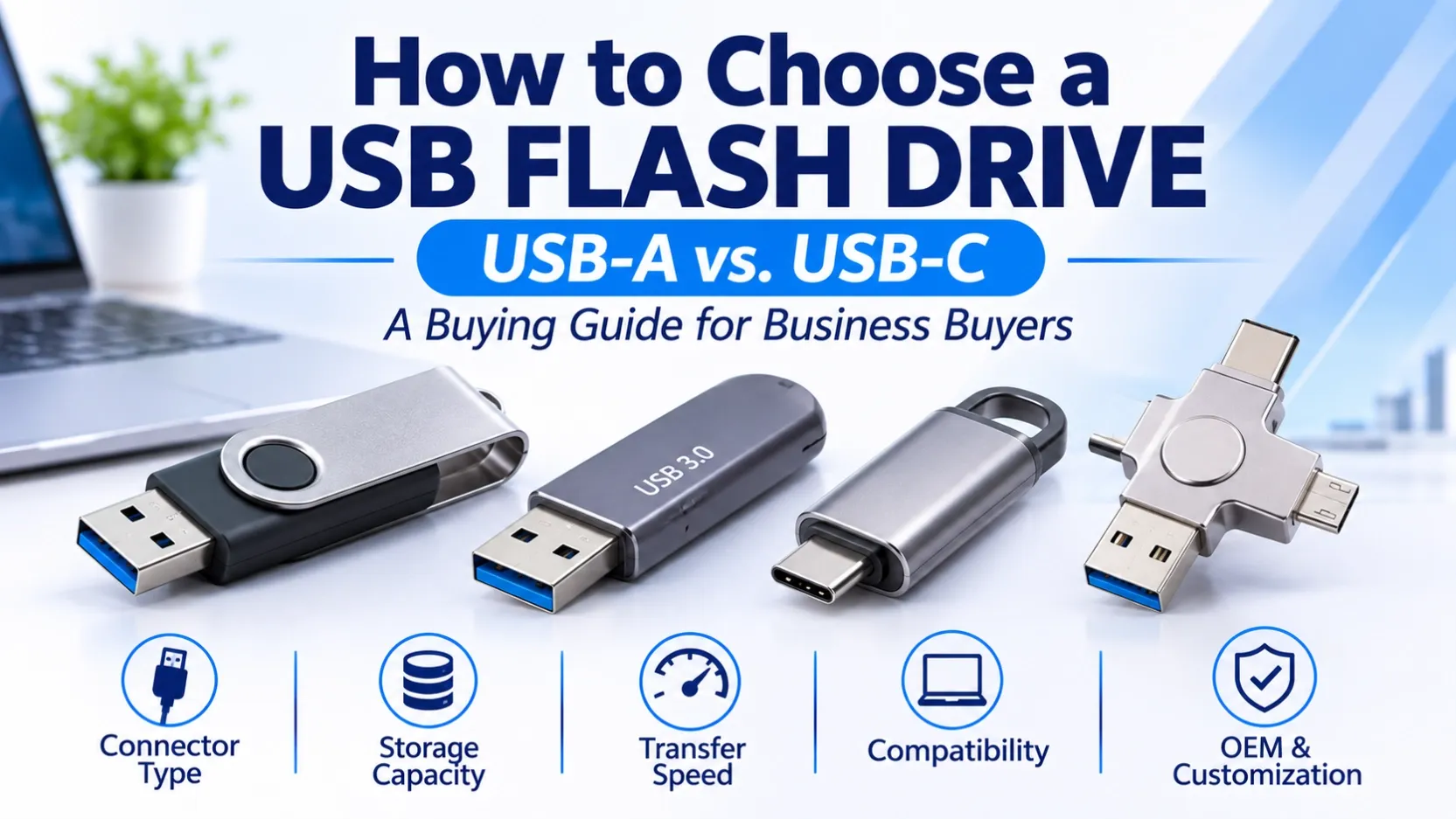
- Standard USB-A flash drives
- USB-C flash drives
- Dual-connector USB flash drives
- 4-in-1 multi-connector USB flash drives
- Compact and portable USB designs
A 4-in-1 USB flash drive may combine multiple connector types to support different compatible devices.
For distributors and private-label buyers, multi-connector designs can provide additional product options for customers who use several types of devices.
Always check the exact connector combination and supported functions of the specific product.
6. Check Device Compatibility
Before purchasing a USB flash drive, confirm that the target device supports the required connector and external USB storage functionality.
Important factors include:
Connector Compatibility
Check whether the device uses USB-A, USB-C or another supported connector.
USB Interface
Confirm whether the host device supports the drive's USB interface standard.
Operating System
Check supported operating systems and any required formatting.
File System
Some televisions, vehicles, cameras and specialized equipment recognize only specific file systems.
Mobile Device Support
Some smartphones and tablets require additional storage support, adapters or settings before external USB storage can be used.
An adapter may help connect different connector types, but it cannot guarantee compatibility with every device.
7. What Should Wholesale Buyers Check Before Ordering?
For distributors, wholesalers and e-commerce sellers, selecting USB flash drives also involves evaluating the product portfolio and target market.
Before placing an order, confirm:
Check Item | What to Confirm |
|---|---|
Connector | USB-A, USB-C or multi-connector |
Interface | USB 2.0 or USB 3.0 |
Capacity | Required storage capacity |
Read Speed | Manufacturer-rated specification |
Write Speed | Manufacturer-rated specification |
Design | Standard, compact or 4-in-1 |
Compatibility | Supported devices and operating systems |
Branding | Standard brand or customized logo |
Packaging | Standard or private-label packaging |
Quantity | Required order volume |
Destination | Target country or sales market |
Providing these details helps suppliers understand the order requirements and identify suitable product options.
8. OEM and Private-Label USB Flash Drives
Businesses developing their own storage brands may also consider OEM and private-label USB flash drive solutions.
Depending on the available product options, customization requirements may include:
- Custom logo printing
- Product design selection
- USB 2.0 or USB 3.0 options
- Different connector configurations
- Customized retail packaging
Before starting an OEM project, buyers should confirm the product specifications, customization requirements, order quantity and packaging details.
Clear specifications help avoid misunderstandings during product selection and order coordination.
Conclusion
Choosing the right USB flash drive requires considering connector type, USB interface, storage capacity, transfer performance and device compatibility.
USB-A remains useful for traditional computer connections, while USB-C supports compatible modern devices. USB 2.0 and USB 3.0 products serve different performance and price requirements.
For distributors, wholesalers and private-label businesses, selecting a suitable product range also means understanding target-market demand, order quantities and customization requirements.
Looking for USB Flash Drives for Wholesale or OEM Supply?
OV CHIP STORAGE supports business enquiries for USB flash drives, branded storage products and OEM/ODM storage solutions.
Share your preferred connector, USB interface, capacity, customization requirements, order quantity and destination country.